
This article will show you the various places that you can see your Program history within your LifeSpeak profile.
Active Programs
There are four locations in LifeSpeak that you can find your Active Programs.
- Scroll down on the Explore page, and right under Up Next there is My Programs. Here you will find the Programs you are actively partaking in.
- Navigate to My Plan by selecting My Plan from the upper navigation bar.
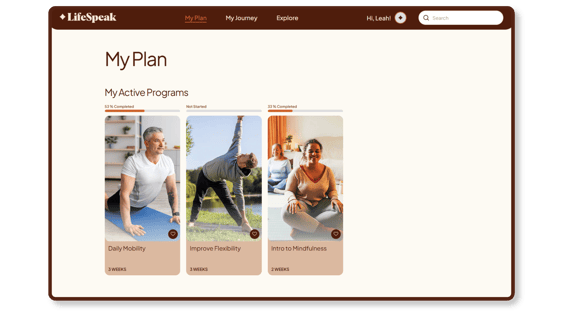
- Navigate to Program History by going to your Library.
- Hover over your name in the upper right-hand corner to make the dropdown menu appear.
- Select Library.
- In the Library select the Program History tab.
- Scroll down to see My Active Programs.

- Navigate to Programs:
- Hover over your name in the upper right-hand corner to make the dropdown menu appear.
- Select Programs.
- Your Active Programs will be at the top of the Programs page.
Completed Programs
There are two locations in LifeSpeak that you can find your Completed Programs.
-
Navigate to My Journey by selecting My Journey from the upper navigation bar.
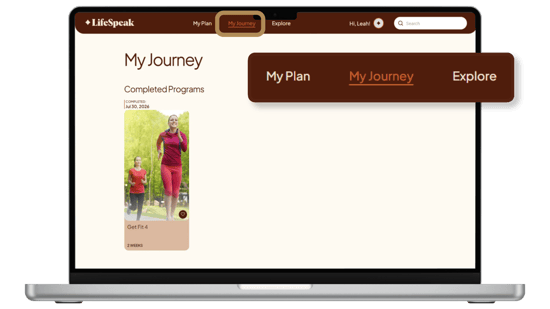
- Navigate to Program History by going to your Library.
- Hover over your name in the upper right-hand corner to make the dropdown menu appear.
- Select Library.
- In the Library select the Program History tab.